For ages, I tried to find a way to synchronize all my bookmarks across devices. It might be particular to my use case, but imagine these scenarios:
Scenario 1 I’m working on my employer’s laptop and find a really interesting article, or someone shares something in Slack that I want to save to read later. I do not have my Chrome account logged in on this laptop, and AirDrop is blocked. On my phone, I exclusively use Safari, so it doesn’t sync with my Chrome profile on my personal laptop.
Scenario 2 I’m on my phone or iPad scrolling through Instagram and find a nice crochet pattern that I want to look at months later when I finally have some spare time to make it. Instagram bookmarks are horrible! Once something is saved there, I can’t ever find it again.
I’ve tried many different approaches for keeping links saved and accessible across all my devices:
- An Obsidian file with an Apple Shortcut
- Saving them in the Notes app
- A private WhatsApp group that only I have access to
- Safari Bookmarks
- Pocket (https://getpocket.com/ - I didn’t know they shut down this service!)
None of them worked fully. I stuck with a few for a while, but I was missing a solution that was both easy and cross-platform.
So I did what I could have done ages ago: I Googled “bookmarks app”. To my surprise, one of the first results was Raindrop.io. I can’t express enough how hyped I was for it.
- I can add it as a Chrome extension on every laptop and just log in to my account there.
- Once I have the app on my devices, I get native share options.
- If I find something on Instagram, I can just share it as a link and choose the app as the target.
Honestly, this is one of my most-used apps recently. Using the shortcut to save a link, knowing I won’t lose it anymore, has become a natural part of my day.
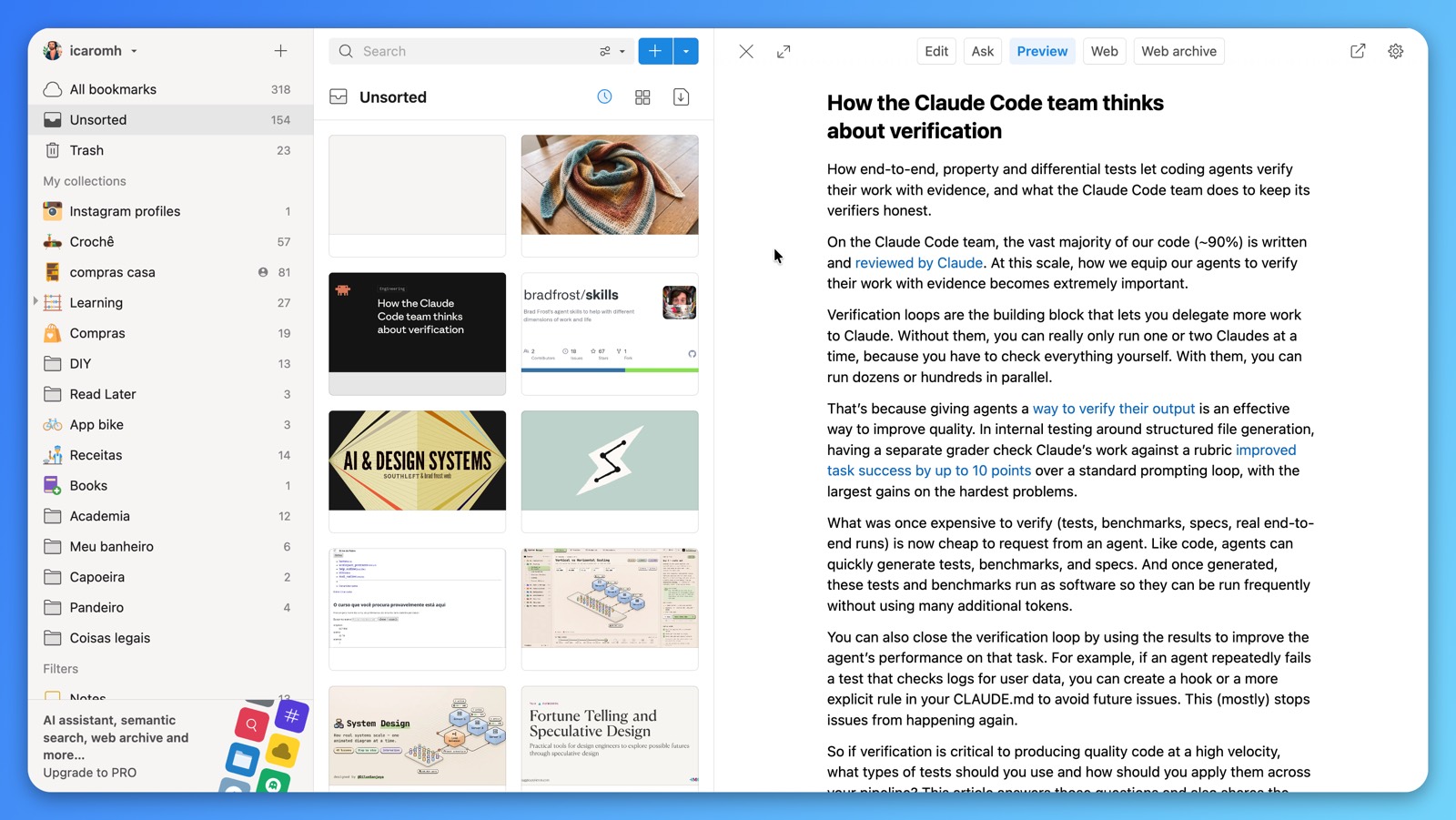
They also have extra features like AI search and API support, so you can build your own integrations (e.g., using Claude Code to classify links automatically or building your own UI 🤷♂️). You can also save links as web archives, so even if a URL stops existing, you’ll still have access to its content.
To be completely honest, the free tier is more than enough for me. Sometimes I think about upgrading just to also store media I find around the internet.
Ah! My wife and I also moved to a new apartment recently and created a shared bookmark folder for furniture and cute objects we want to eventually buy for our new place. It’s great.
This is not an ad, but I really like the app and wanted to spread the word about it. It solved a very frustrating part of my life: not being able to find the important links I wanted because they were buried across 134 different apps, sites, and notes.